Economy & Shops
Sell resources to the server, pay friends and create protected chest shops.
Earn money
The quickest starting options are selling ordinary resources, completing daily quests and voting. Check your balance at any time.
/balanceShow your current balance. /bal also works./questsOpen your daily quest interface./voteOpen the voting menu and voting links.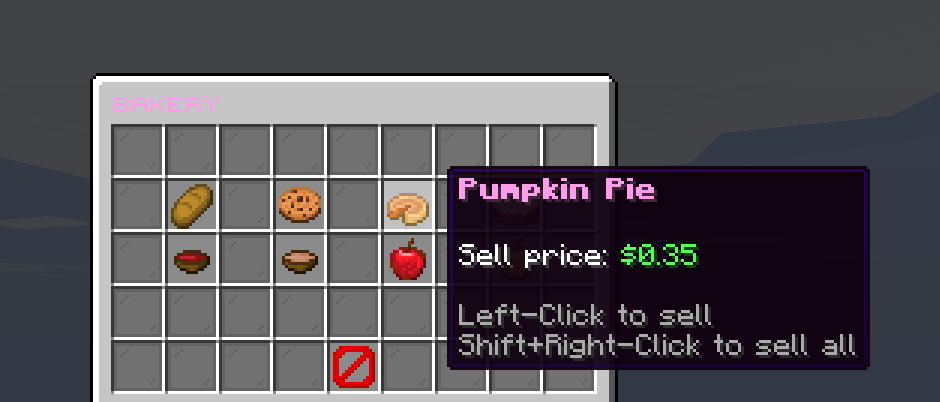
Sell to Bambi Shop
Use /sell or /shop and choose Ores, Crops or Bakery. Left-click an item to sell one; Shift + right-click to sell every matching item in your inventory.
Renamed, enchanted or otherwise customised items are ignored so an important item is not sold by accident.
Create a chest shop
- Place a chest in your claim.Hold the exact item you want the shop to sell in your main hand.
- Left-click the chest.Do not sneak. When QuickShop asks for a price, type the price per item into chat.
- Stock the chest.Put matching items inside. The sign and floating item confirm that the shop is ready.
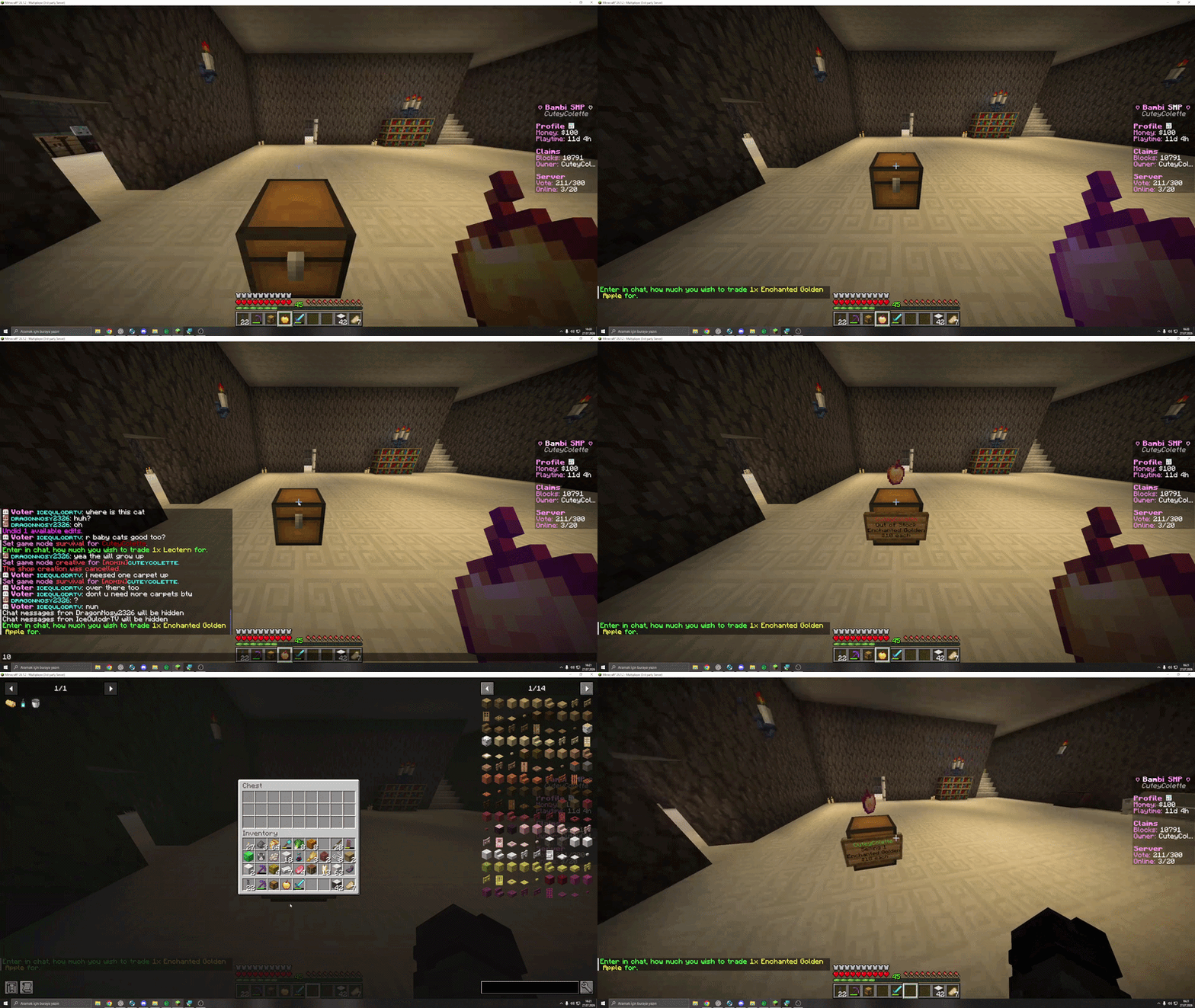
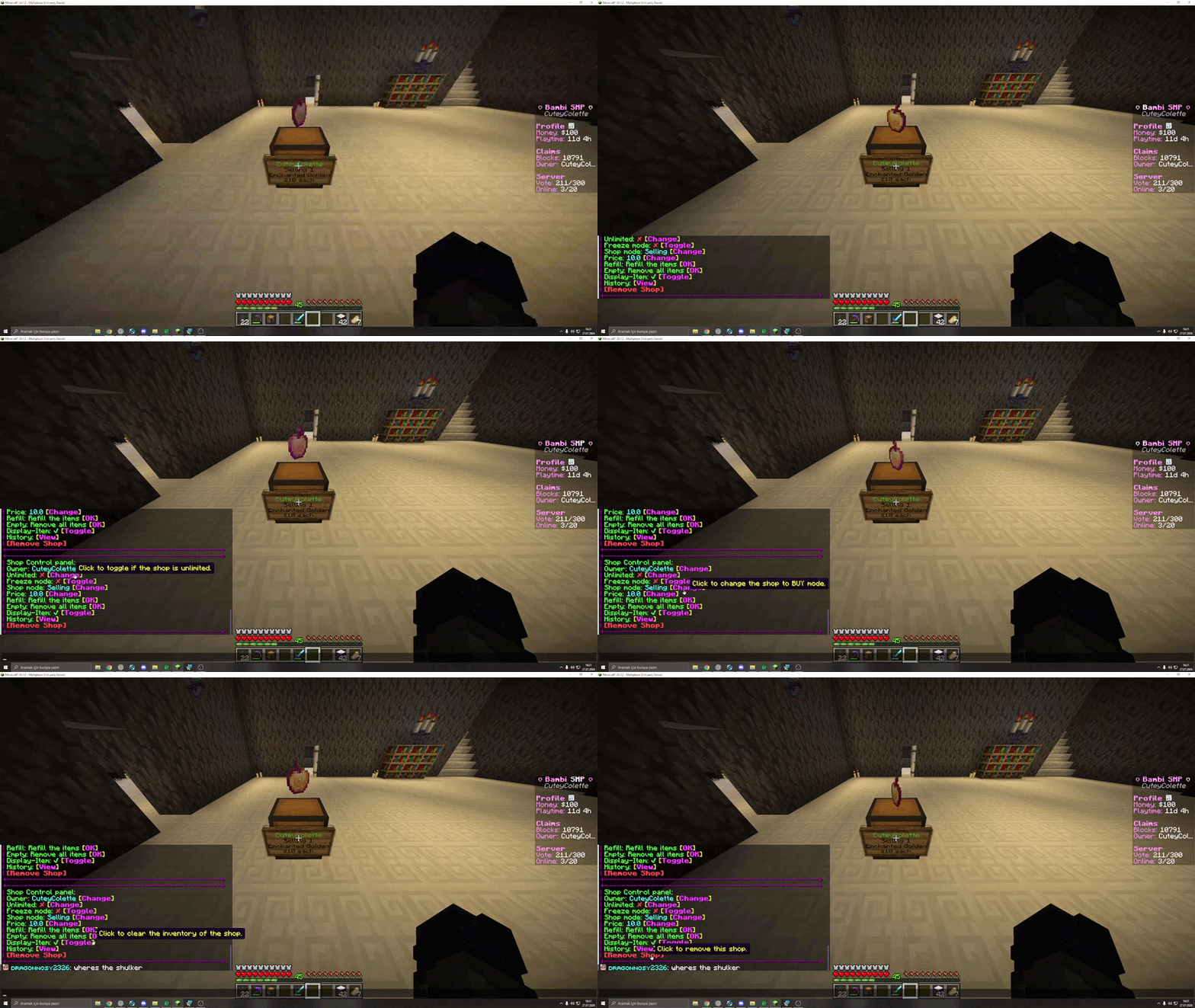
Your main hand must contain the item you want to sell. Empty-hand clicks do not start shop creation.
New players can own two chest shops. Voter unlocks 10; Active and Bambi unlock 20.
Safe trading
/pay PlayerName AmountSend money directly./trade PlayerNameSend a protected trade request to a nearby player.You can also sneak + right-click a player to request a trade. Both players review their items and a five-second confirmation runs before the exchange finishes.